
How much does video cost?
You know what we're going to say, don't you? How long is a piece of… videotape.
Well, videotape is long gone and so have some of the prohibitive cost of making videos. Kit is smaller, lighter and you can move quickly but as you can imagine, costs can still vary wildly depending on the project specifics and it's all about the detail.
The below costs are ballpark figures, actual projects can vary wildly in complexity and procedures.
Video testimonial costs
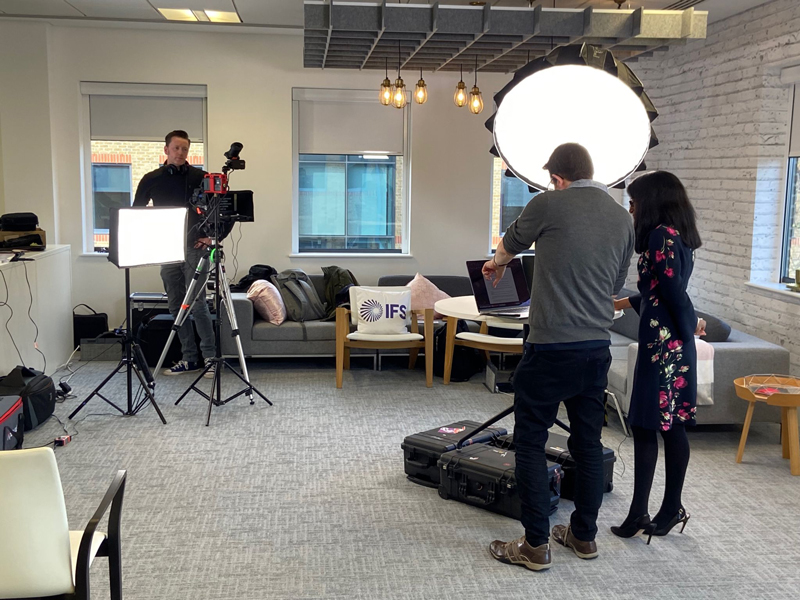 Ideally, you'd be looking at a 2 person team (director and a skilled lighting camera operator) and at least 2 cameras. Setup time will be around 2 hours, filming will probably take around 1 - 2 hours and acquiring some strong B-roll footage would likely take another couple of hours. You could expect to get a first draft around 3 working days later and with up to 2 rounds of amends your finished article could be available 7 working days later.
Cost: in the region of £4,000
The cost of Animation
With a bespoke animation, a lot of the cost is in the pre-production and design stages. You're aiming really to get the script and storyboard as close to the final thing before production starts so the animators are only making assets and movements once. With a good brief and responsive sign-off procedure, a script and storyboard could take a minimum of 3 working days. Depending on the complexity and if assets need creating or not, the first draft animation could take a further 5 days. Amends and voiceovers might take another 2 days and a final animation could be ready within 10 working days from start to finish.
Cost: in the region of £6,000
Corporate video cost
This can be a very open brief, but if we take the 2 routes a corporate video often takes we can put some guesswork in. The cheaper route might involve writing the script, storyboarding and arranging voiceovers, product demos and stock footage. From a good brief, this could take 10 working days and have a cost of around £5,000 (not including stock footage costs). The more creatively crafted and professional route might mean filming which means crew, travel. If we consider additional motion graphics, maybe some drone capture and a lot of creative editing.
This could easily take 20 working days and have a cost of around £15,000
Product launch or commercial
If you want to get really creative this is where it's at. It could involve a lot more project management, shooting footage in multiple locations, building sets, arranging actors and props, recording voice overs, applying visual effects all with some incredible attention to detail. The result will be unique, highly polished and have creative flair, but this takes time.
You could expect to take 30 working days and require a budget of around £35,000.
These are all finger-in-the-air costs and timescales, but we hope they at least give you some sort of idea of how affordable or expensive video can be in general.
Want to get in touch?

Be prepared for a film day
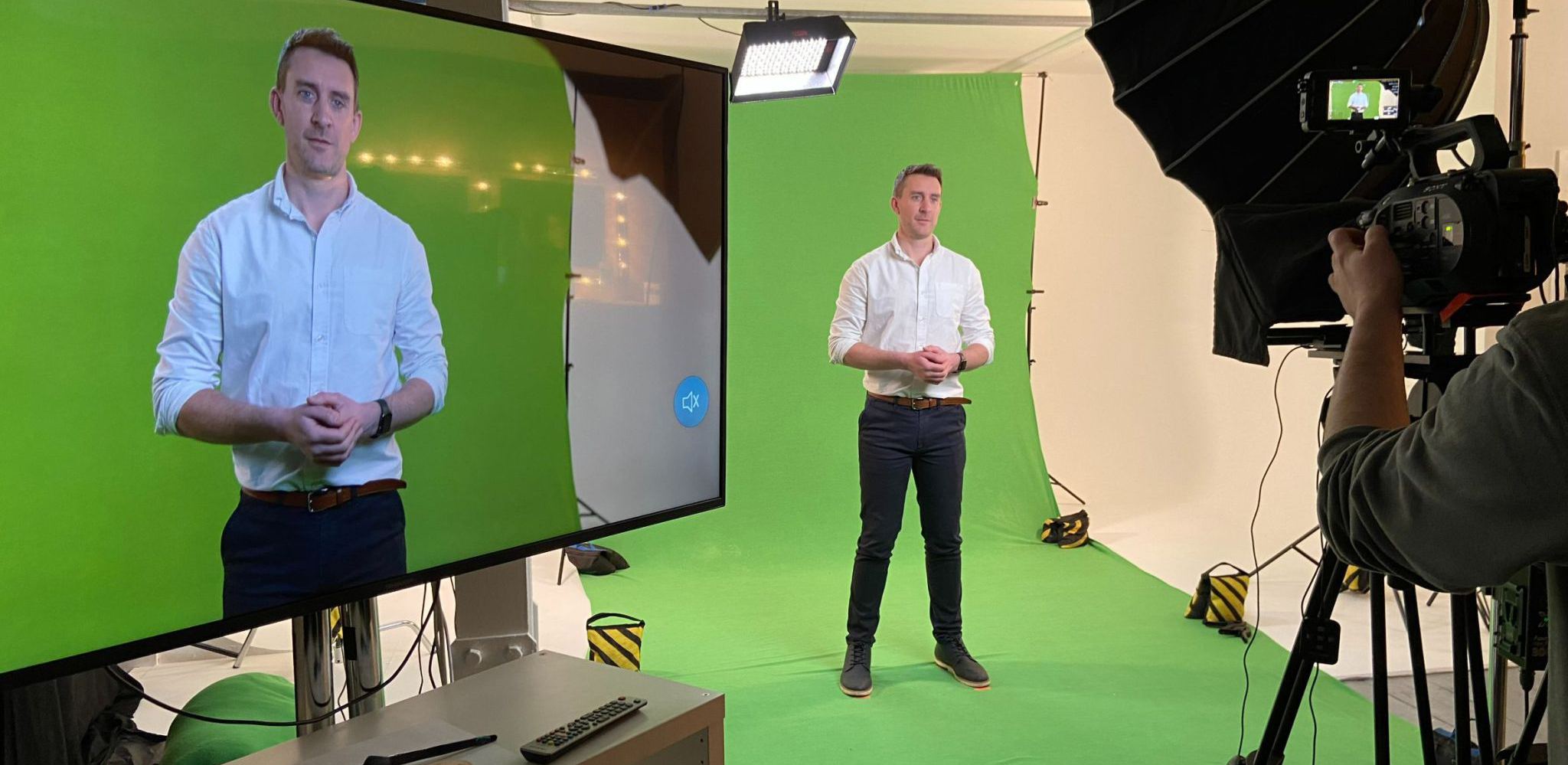
Be prepared for a film day. You want a 2-minute testimonial or product explainer video and you've arranged the presenter, got sign-off on the script and agreed on a location but don't actually know what happens during the shoot?
Here's a rough guide to what you can expect and how to prepare.
Time to be prepared

The end product might only be 2 minutes (and that's because people's attention spans watching online videos can be short) but to get that 2 minutes will likely take an hour of actual filming, 2 hours of setup, an hour of breakdown and potentially a few interruptions along the way. So whilst you may not need to be there for the whole time, expect a camera crew to take a minimum of 4 hours and add an additional hour for each additional presentation you might be doing. If you can let the camera crew in early they'll appreciate it.
Space
Both in terms of area for filming and for equipment, camera crews do not travel lightly. A 3-man crew are likely to bring 2 or 3 cameras, sliders, 4 or 5 heavy-duty tripods, big lights and a load of additional kit for them to do their job. It's like the Kardashians arriving at Heathrow terminal 2. So space to unpack and store all their kit is highly useful (although they can be flexible, it just takes more time). Then you need the filming area. Your Director should be able to maximise the space available, but work with them to find a spot that is clean, has plenty of electrical sockets, is clear of clutter, as light as possible and… quiet. One of the biggest interruptions in filming is noise from other people walking, on phone calls or making their Double Frappuccino.
Clothing
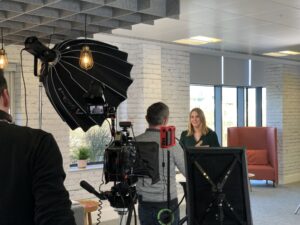
This might all depend on the industry you're in and the environment filming is taking place but a good rule of thumb is to ask anyone on camera not to wear thin stripes as it causes strange patterns called moire on cameras. Ideally, solid colours work best and ideally avoid green and bright white. It's also worth having a change of clothes available (if possible) in case of spills, creases etc. And try to avoid logos or anything that could be considered offensive to others. Let your camera crew know if your presenter wears glasses in advance and a rough height, so they can position lights and tripods accordingly.
Audio
Your camera crew should provide the best options for your environment, occasionally this might be a boom mic held out of shot over the presenter or a directional mic on the camera itself but if the location is suitable they'll use lapel mics. These attach to the speaker's clothing close to their face to pick up the best audio. Attaching these is fairly straightforward but often an awkward moment as the battery pack usually clips onto their belt or pocket out of view and the mic itself should go inside clothing to keep wires hidden. More often than not, the presenter can do this themselves but on occasion be prepared to help or find an appropriate colleague that can help position the mic and maintain the speaker's dignity and composure.
Autocue and retakes
Talking to camera comes more easily to some people than others and it's not necessarily the normally confidant presenters that are naturals. Take time to make your presenter feel comfortable, explain what the video is for perhaps and who everyone is and preferably help them be prepared by providing the script in advance. Make them feel like everyone is on their side and critically, not rush. It's likely if they're reading from an autocue that they'll trip over a word or two, maybe say a word that wasn't in the script or run out of breath on a really long sentence. Depending on their experience they might panic over the slightest mistake and it's everyone's job on the shoot to assure them that a) everyone does it b) they might well make the same mistake a number of times (in these cases it's often handy to skip that section and come back to it) and c) there's no rush. Take a deep breath and try again.
It's also quite likely that you'll capture short sections at a time instead of the whole script. Maybe even capture different styles of presenting the same information. And, have someone tracking the script as the presenter narrates it to ensure they stick to the script or the change they may have made still makes sense.
Be prepared for B-roll
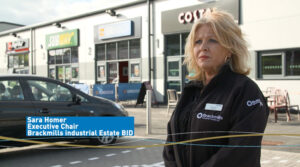
Often, additional footage of the surrounding area (b-roll) makes a video more engaging to watch. If you're a manufacturer they might capture some of the products being built or meetings for service-based companies. For this either the same camera crew will need permission to explore the area after the presentation (and may need accompanying and safety gear) or an additional camera crew can capture these shots whilst the presentation is being filmed.
Every shoot is different but with these tips in mind you can Be prepared, make the most of everyone's time and you and your presenters will have some knowledge of what to expect.
Want to get in touch?
How Long Should Your Social Media Video Be?
The Definitive Answer: A blog about how to best post videos to reach the largest audience.
As you might expect, video is the most engaging media to post on social media. But how long should your social media video be? Quick answer: there's no definitive answer. But there are some tips you can follow to get the best chance of engagement.
Audience and message balance is king.

You can find blogs on video length everywhere and they are useful but... They will tell you attention spans are short and anything over 2 minutes is uneconomic. What they don't take into account is context. For example, people quite happily sit in a cinema for 3 hours if the film is good enough. So consider what your audience on each platform will be expecting.
But how long should your social media video be?
TikTok allows up to 3 minutes, Twitter 2 minutes 20 seconds and Instagram 60 seconds - they are fun-packed bursts of content. You'll need a simple message, easily understood and quick to convey.
Facebook allows up to 240 minutes but still, people are expecting fast, disposable information, updates about their friends and videos about cats. Attention spans aren't really very long and selling at people during their own personal time isn't likely to get a positive reaction. So treat it as a B2C platform, make your message light and interesting but don't go into massive detail.
As LinkedIn is a B2B platform your audience is far more receptive to business messages, more detail, serious topics and you get up to 10 minutes for your video. They'll also invest more attention if you pique their interest. Here you can share explainer videos, product launches, business values etc. with a caveat... give your audience enough that they want to know more but don't give them so much that they have no reason to contact you.
So, start with your message and audience. Getting that right will determine your platforms and maybe point you towards having multiple versions of your message.
Double-check your message rings true throughout the video and don't forget a call to action. like this one:
To discuss your video requirements call us on: 01604 621600 or email: studio@ar-media.co.uk
Want to get in touch?
